-
Open the Java Architect module preferences panel from the menu bar: Configuration→Modules…
-
In the Project Configuration select the Java Architect module
-
Select and unfold the 'Automation' group
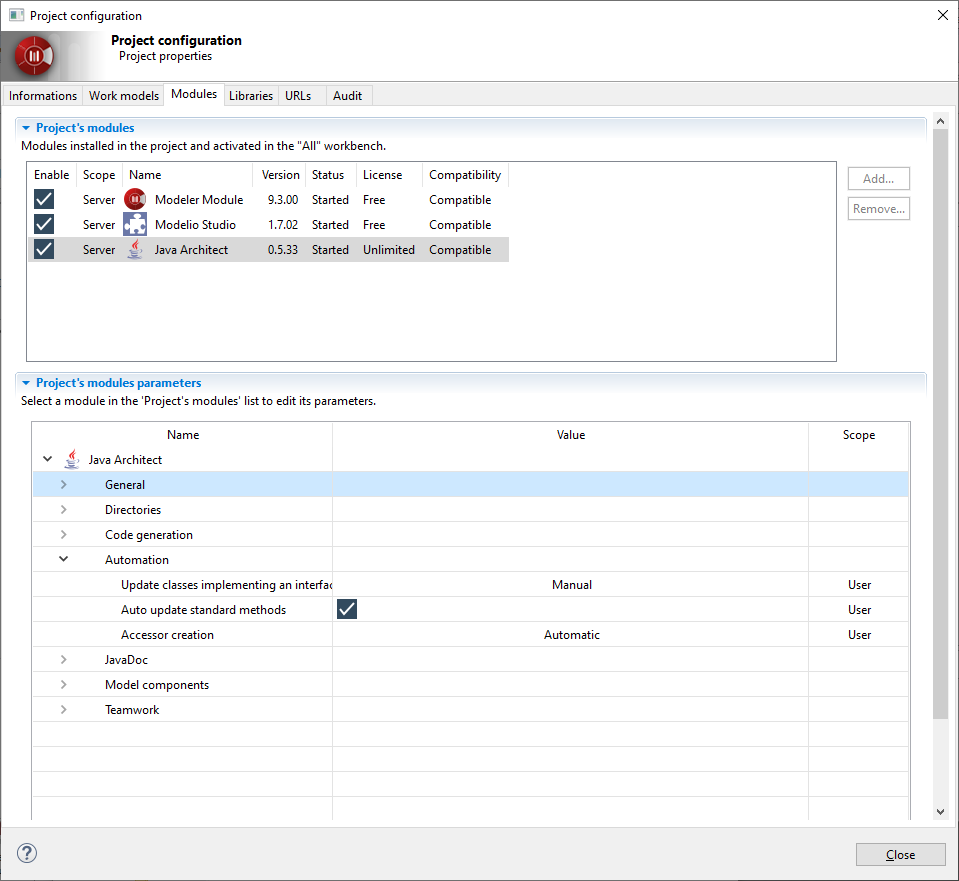
Update classes implementing an interface
This value enables/disables the automatic interface implementation feature of Java Architect.
-
Automatic: Java Architect will automatically update the model each time an interface is modified.
-
Manual: Java Architect will never update the model when an interface is modified. This is the default value.
Auto update standard methods
If checked, the content of the standard methods equals, hashCode and toString will be updated when the model changes.
Accessor generation
Define the global running of accessor creation in the model:
-
Automatic: accessors are created according to the feature’s access mode after each model change.
-
Manual: accessors must be created in the "Java" view.